Notify each user about new documents when their files arrive
- Status: accepted
- Date: 2026-11-01
Context
Users had to search again and again to learn that a letter had arrived (#279). Paperless notifies only through workflows that its administrator sets up, which know nothing of the users and the permissions of Nextcloud, and the file notifications of Nextcloud don't fire for new files in a folder that is shared with you.
This is the first background job of the app, and the first time that the words of a user reach Paperless without that user doing anything at that moment. Decision 0008 set the rule for this: only by the user's own choice, which administrators can disallow.
A new document usually has no file yet when Paperless first lists it, because Paperless Sync writes it minutes or hours later, and a user may only hear about a document whose file they can open.
Options
- Match in the run that first sees a document. It would ask Paperless once and then be done, but it would find almost no file and send almost nothing.
- Run the saved searches on every run for every document of the last days. It would notice a tag added later, but cost Paperless a request per search every five minutes, with nothing new.
- Keep each new document waiting until its file reaches the archive account, for up to two days, and only then run the saved searches and look at the files of each user.
Decision
Option 3. A job runs every five minutes and asks Paperless once which documents are new, by their IDs. Looking for their files in the archive account costs Paperless nothing, and the saved searches run only for documents that have one, once per distinct search, so nothing new costs one short request and no search. A document without a file after two days counts as one that never gets one, such as one that the rules of Paperless Sync leave out.
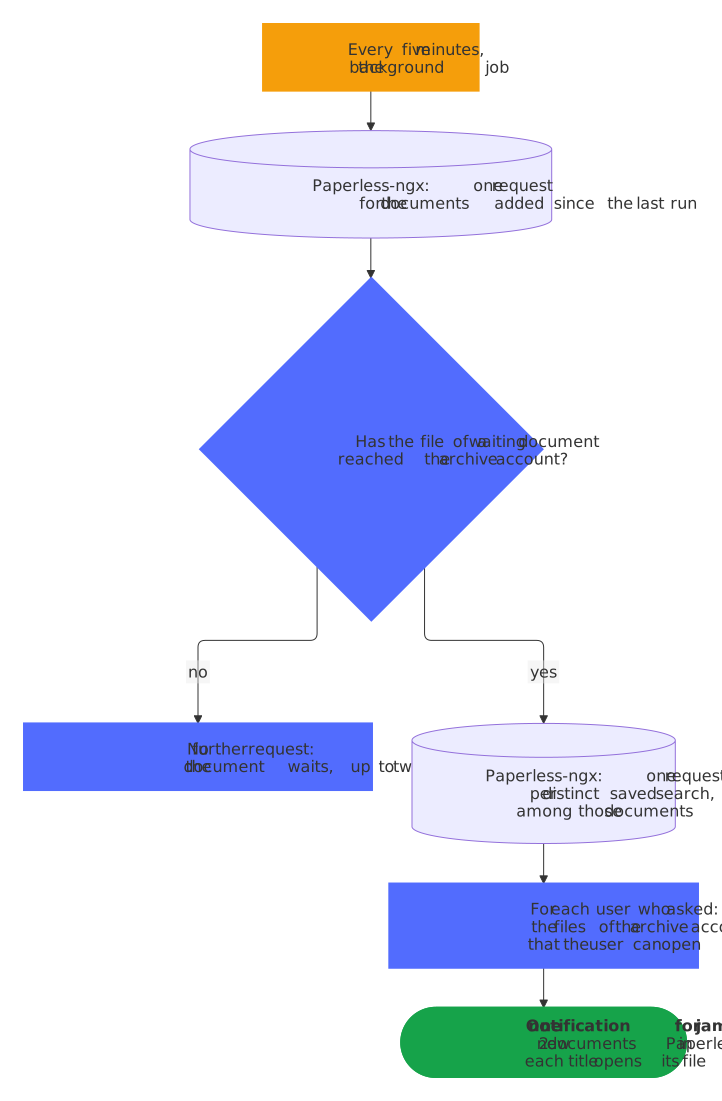
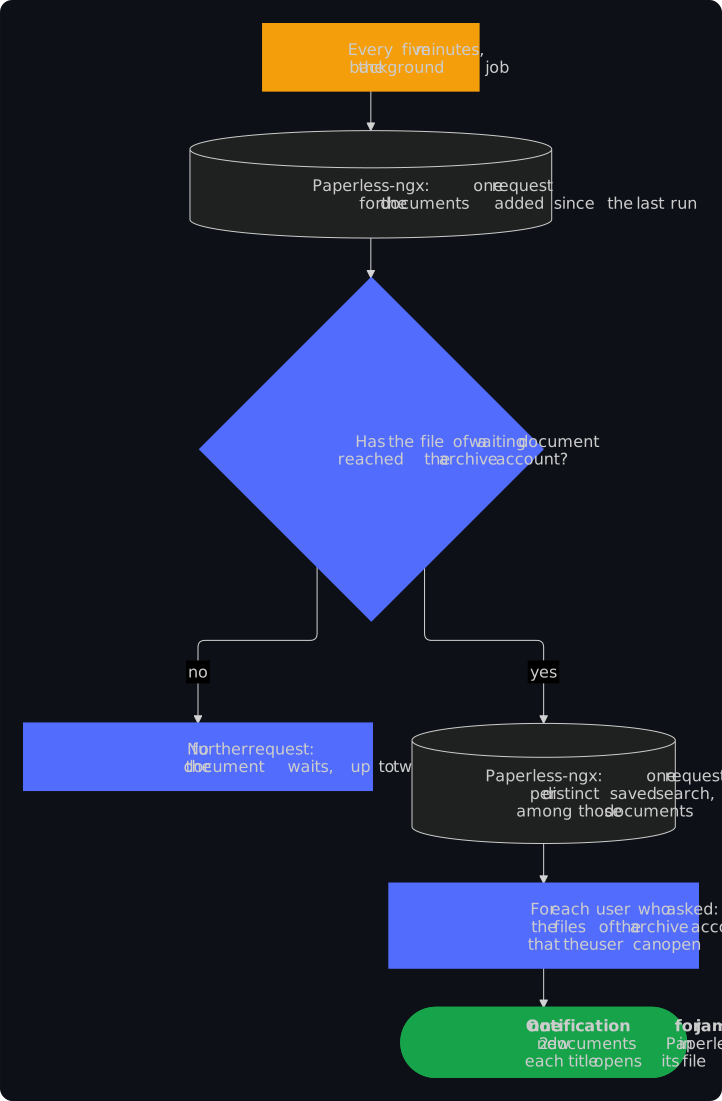
Each user chooses in their personal settings, up to 10 saved searches or every new document that they can open, and the field says that the job sends the searches to Paperless. The choice is a preference of that user, and the log never names a search. One user's search can't stop the others: a search that Paperless refuses or fails to answer finds nothing in that run, and only when every search fails does the job rest, with a longer wait after each failure.
The switch Let users ask for notifications about new documents decides for all users. Until an administrator chooses, it is on where config.php names a memory cache, because the job looks through the files of each user who asks, every five minutes while documents wait, which a small server shouldn't do unasked. The default reads config.php and not the cache of the running process: without apc.enable_cli, the web has APCu and cron has no cache, and the settings would offer what the job then refuses.
Consequences
A notification comes with the synchronization, which may take hours, and only for a user who can open the file at that moment. Each saved search looks at a document once, so a tag that it gets later brings no notification, which the FAQ says. Documents that wait keep their titles in the app configuration for up to two days, and Paperless sees the saved searches of all users under the one account of the token, which the security design says. Unit tests cover the job, and the end-to-end tests check through the notifications API that a user who can open the file gets one notification and a user who can't gets none.