Search
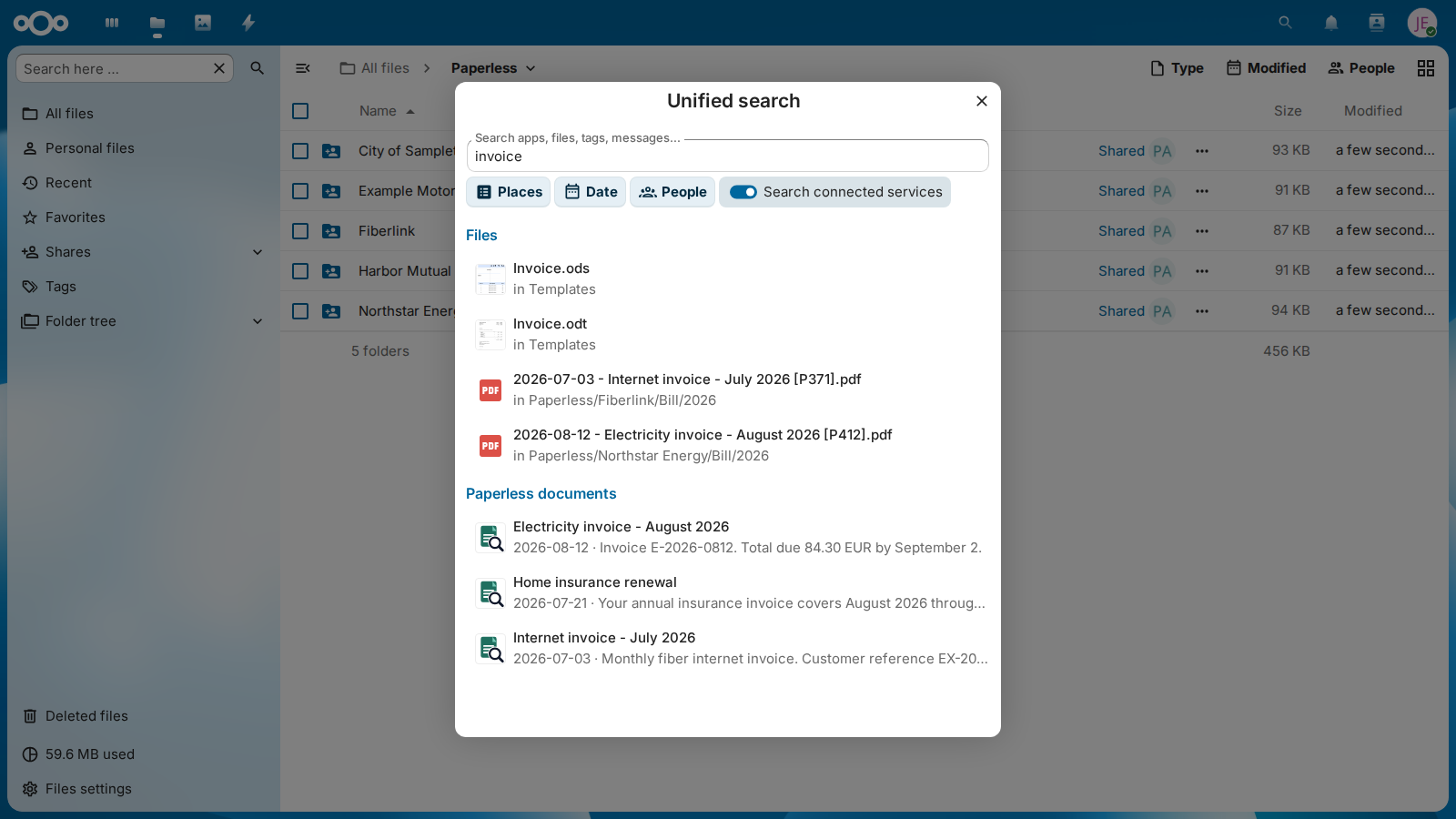
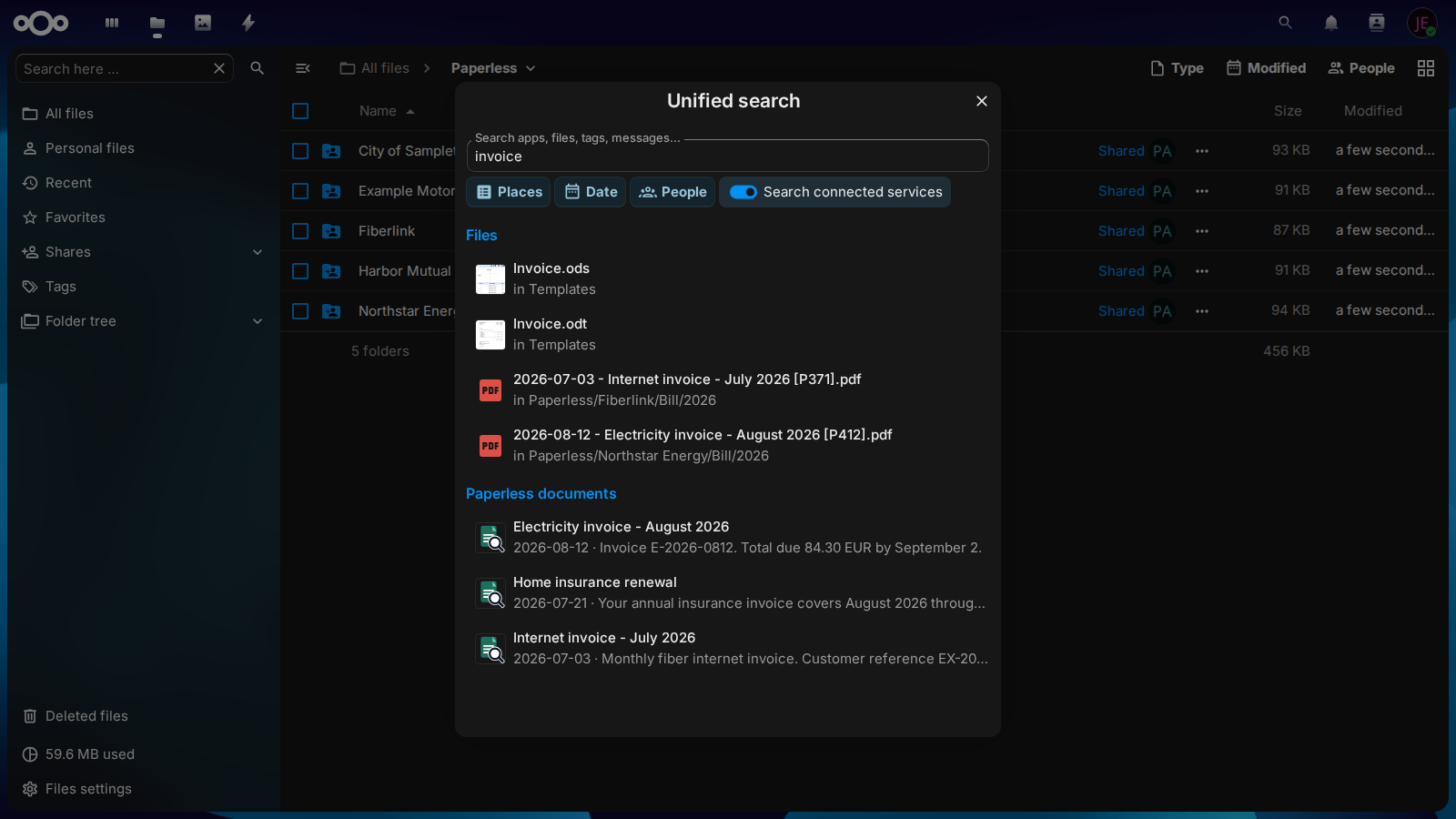
Paperless documents show in the global search of Nextcloud for every user who can open their files: under Paperless documents, after the files, each with its title, its date and the words around the term. Selecting one opens its file in Nextcloud.
Usage
Open Nextcloud's global search, enable Search connected services, and select Paperless documents. Nextcloud 32 and later disable external providers after a page reload, so this switch must be enabled again unless an administrator has enabled trusted-service mode.
Documents without a synchronized [P<ID>] file of the archive account are intentionally omitted. This also keeps Inbox-only documents out of Nextcloud search when the synchronization process does not export them.
Narrow the results by date
Pick a span in the date filter of Nextcloud's search, such as Last 30 days, This year or a custom range, and the Paperless results show only documents whose date in Paperless lies within it, the date that Paperless shows for the document, not the day it was added or synchronized. The span counts in whole days in your timezone: Last 30 days picked in Berlin on September 30 finds the documents dated September 1 to September 30. Paperless filters the documents itself, so a narrow span still finds the matching documents further down the ranking, and the results stay in Nextcloud's filtered list instead of Partial matches.
What a result shows
Each result shows the preview of its file, as the results of Files do, or else the icon of the type of the file. Below its title, a line names the date of the document in your language, such as Aug 12, 2026 in English and 12.08.2026 in German, its correspondent and its type, and then the words around the term that Paperless found. When only a note of the document matched, as for notes:transfer, the line shows Note: and the words of the note.
---
config:
  flowchart:
    wrappingWidth: 400
    nodeSpacing: 30
---
flowchart TB
    accTitle: What a result shows
    accDescr: The search of Paperless-ngx sends the title of document 412, its date 2026-08-12, the IDs of its correspondent and its type, 3 and 1, and the words around the term. Paperless names correspondent 3 Northstar Energy and type 1 Bill, with one request per kind for all documents of the page, which the app keeps for ten minutes. The file of the document in Nextcloud gives the preview, when Nextcloud draws previews of its type, or else the icon of the type, as the search of files shows them. The result shows that picture, the title Electricity invoice - August 2026, and below it Aug 12, 2026 · Northstar Energy · Bill — Invoice E-2026-0812. Total due 84.30 EUR by September 2, with the date in the language of the user, such as 12.08.2026 in German.

    paperless[("Paperless-ngx")]
    search["The search: the title, the date 2026-08-12,<br>correspondent 3, type 1<br>and the words around the term"]
    names["The names: correspondent 3 is Northstar Energy,<br>type 1 is Bill, with one request per kind<br>for the page, kept for ten minutes"]
    file["The file in Nextcloud: its preview,<br>when Nextcloud draws previews of its type,<br>or else the icon of its type"]
    result(["`**Electricity invoice - August 2026**
    Aug 12, 2026 · Northstar Energy · Bill —
    Invoice E-2026-0812. Total due 84.30 EUR by September 2
    *the date in the language of the user: 12.08.2026 in German*`"])

    paperless --> search
    paperless --> names
    search --> result
    names --> result
    file --> result

    classDef app fill:#526cfe2e,stroke:#526cfe,stroke-width:2px
    classDef yes fill:#16a34a2e,stroke:#16a34a,stroke-width:2px
    class names app
    class result yes
- Preview. Nextcloud draws previews of images and office documents, but of PDF files only once an administrator turns them on, as its documentation of previews describes. Until then a result shows the icon of PDF files, as the results of Files do.
- Correspondent and type. Paperless sends them as numbers. The app asks Paperless for their names with one request for all correspondents and one for all types of a page, and keeps the names for ten minutes, so a name changed in Paperless shows in the results within ten minutes. When the account of the API token may not view correspondents or types, or Paperless doesn't answer in time, the results show without them, and the search works as before.
- Text. The words around the term come as Paperless marks them up, and the result shows them as plain text. Text of a document in angle brackets, such as
<GmbH>, shows with a space after<, as< GmbH>, so that no part of a result can ever act as HTML.
In Talk, Text, Deck and Mail
Nextcloud's smart picker finds Paperless documents too, wherever you write: type / in Text or Collectives, or open the smart picker in a conversation of Talk, a card of Deck or a message of Mail. Choose Paperless documents, search, and pick a result: the picker inserts the link to its file. Everyone who can open that file sees its preview; anyone else sees only the link.
The picker searches through the same provider as Nextcloud's search, so it lists the same documents. It asks Paperless once you have chosen Paperless documents and typed a term, without the switch Search connected services: choosing it is the same consent.
Why the switch is off after a reload
Search connected services decides whether a search leaves Nextcloud. Nextcloud counts every search that sends the term to another server as one of a connected service, Paperless as well, and asks it only while the switch is on. It turns the switch off whenever the page loads anew, so that no term goes to another server without the choice of the user, again and again.
An administrator who trusts their Paperless server, as the one that already holds the documents, can select Always include Paperless in global search in the settings. Paperless then belongs to every search of every user, without the switch, which no longer controls it. Every user reloads Nextcloud once after the change.
On a phone
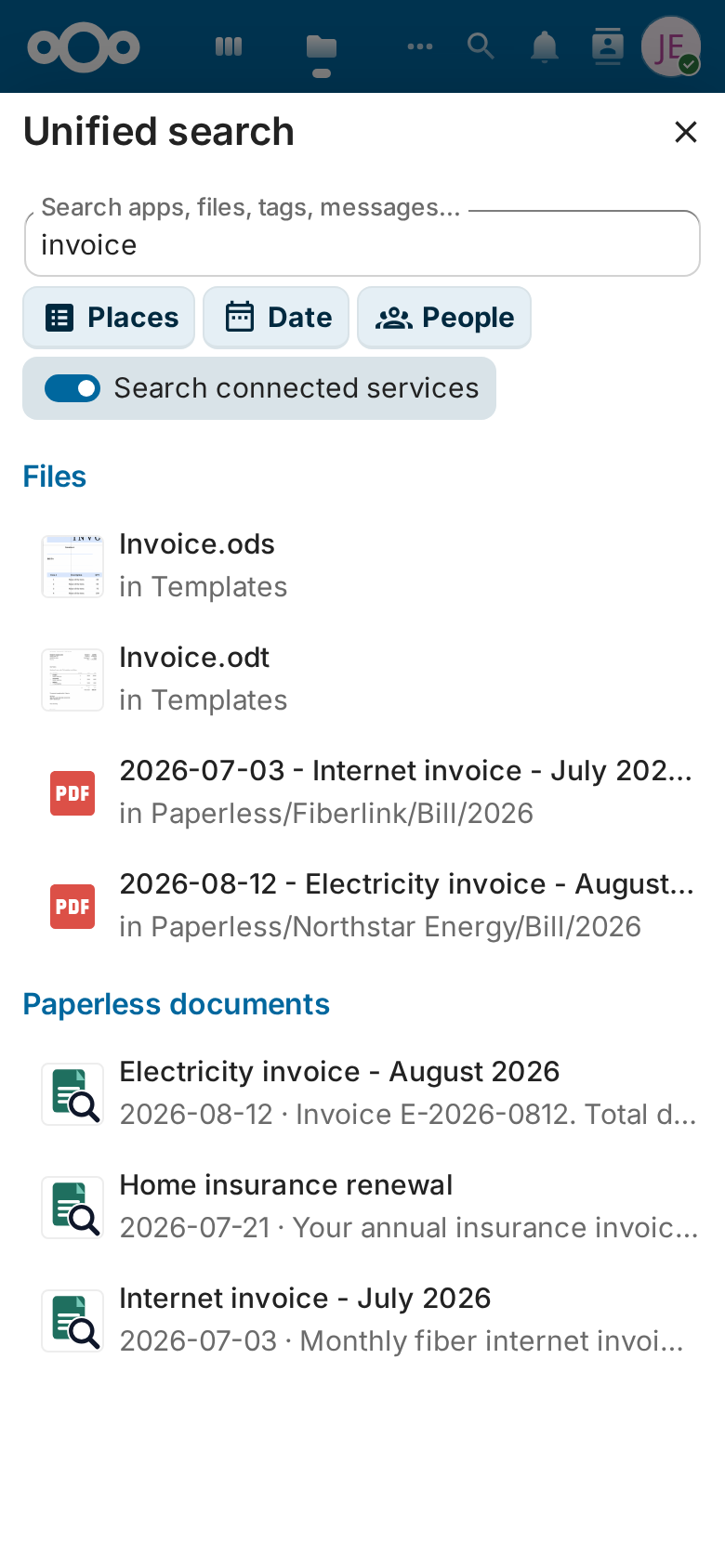
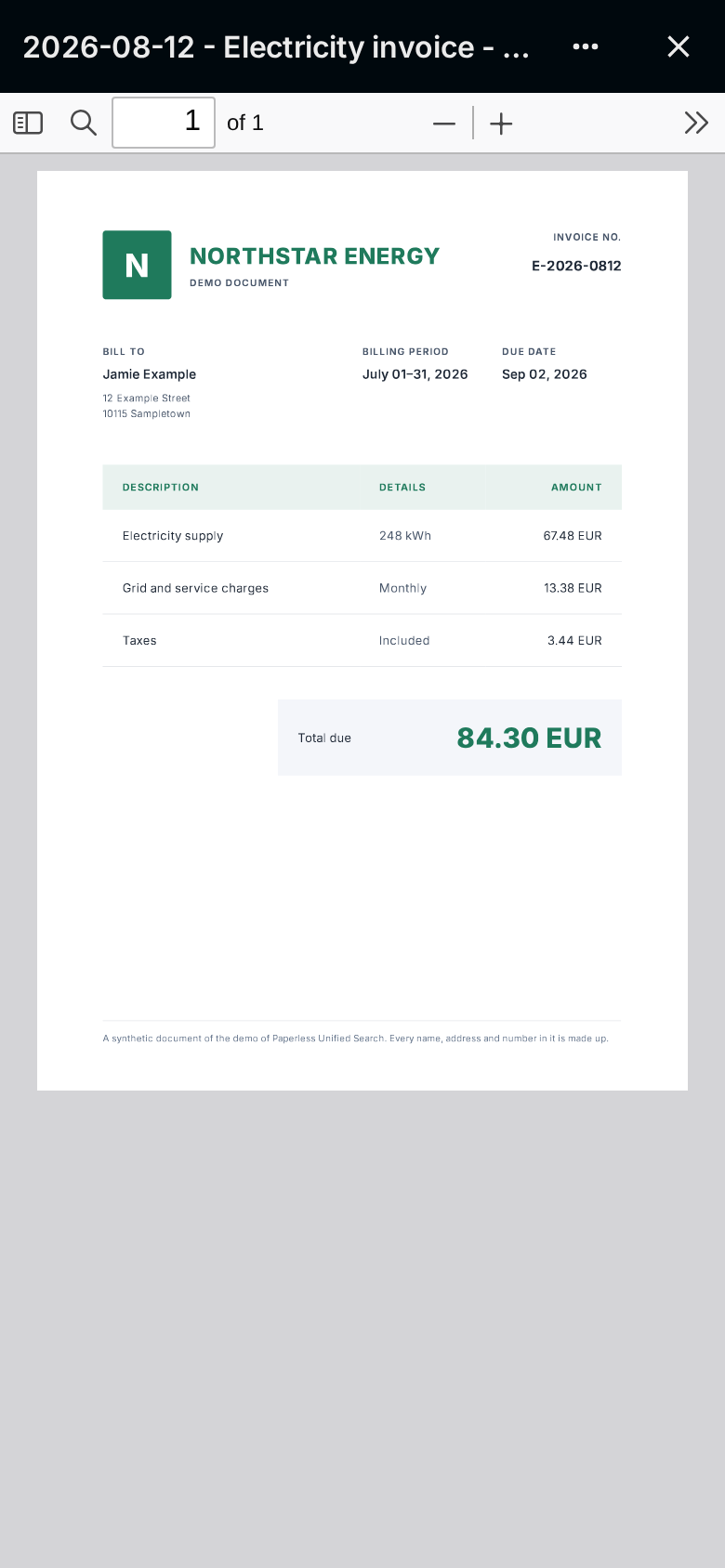
- In the browser of a phone, the search works as on a computer, and a result opens in Nextcloud's viewer.
- The Nextcloud apps for iOS and Android show Paperless documents in their search as well. A result opens the file in the viewer of the app, without leaving it: the iOS app gets a link
nextcloud://open-file, and the Android app the ID and the path of the file.
Search like in Paperless
Nextcloud hands the words of a search to Paperless-ngx as they are typed, so its search syntax works in Nextcloud too. Without it, Paperless finds the documents that contain every word, in the text, the title, the correspondent, the type or the tags:
| Search for | Finds |
|---|---|
invoice 2025 |
Documents with both words, in any order |
"home insurance" |
The exact phrase |
insur* |
Words that begin with insur |
invoice NOT draft |
Invoices without the word draft; the operators are written in capitals |
correspondent:acme |
Documents of the correspondent ACME |
type:invoice tag:unpaid |
Unpaid invoices, by their type and their tag |
created:[2024 to 2025] |
Documents created from 2024 to 2025 |
added:yesterday |
Documents that Paperless received yesterday |
A field or a quote that is still being typed, such as tag: alone, can find nothing; the results come once the search is complete. Paperless 3 refuses a query that it can't parse yet, such as created:[2026 to while the range is still being typed; the search then finds the documents of its words in the simple search of Paperless until the query is complete. Neither that nor a page past the last result counts as a problem of the search. Each result is still a document whose file the searching user can open.
Use it from scripts and AI assistants
The search is also an API: Nextcloud's OCS search API answers with the same results that its search shows, for the user who asks and the files that user can open. A script, an automation or an AI assistant that can send HTTP requests uses it with an app password of a user:
curl -u jamie -H 'OCS-APIRequest: true' \
  'https://cloud.example.com/ocs/v2.php/search/providers/paperless_unified_search_documents/search?term=invoice&format=json'
curl asks for the app password, which keeps it out of the history of the shell; a script hands it over in a file with --netrc-file. The answer, shortened:
{
  "ocs": {
    "meta": { "status": "ok", "statuscode": 200, "message": "OK" },
    "data": {
      "name": "Paperless documents",
      "isPaginated": false,
      "entries": [
        {
          "thumbnailUrl": "https://cloud.example.com/core/preview?x=64&y=64&fileId=1234&mimeFallback=1",
          "title": "Home insurance renewal",
          "subline": "Mar 2, 2026 · Harbor Mutual · Insurance — … the premium is due with this invoice …",
          "resourceUrl": "https://cloud.example.com/f/1234",
          "icon": "",
          "rounded": false,
          "attributes": { "fileId": "1234", "path": "/Archive/2026/Home insurance renewal [P412].pdf" }
        }
      ],
      "cursor": null
    }
  }
}
Each entry names the document, its date in the language of the user, its correspondent and its type with a line of its text that matches, the picture of its file in thumbnailUrl as an absolute URL, which is its preview when Nextcloud draws previews of its type and otherwise the icon of that type, the link that opens its file and the file's ID and path for that user. icon stays empty: Nextcloud's smart picker would show it in place of the picture, as the name of a CSS class. limit sets how many results a page holds, 5 by default and up to 50. To fill a page, the app goes through up to 4 pages of 25 documents that Paperless finds, for at most 3 seconds. A page can still hold fewer results, even none, when the user can open the files of only a few of the documents that Paperless finds, so keep asking with cursor set to the cursor of the answer while isPaginated is true. Send the cursor back as you got it: it counts the documents of Paperless that the pages before went through. since and until narrow the results to the documents dated within a span, as the date filter of the search does, each a moment such as 2026-08-01T00:00:00Z whose day in the timezone of the user counts, so &since=2026-08-01T00:00:00Z&until=2026-08-31T23:59:59Z finds the documents of August 2026 for a user in UTC. The switch Search connected services belongs to the search in the browser; the API asks Paperless without it.
Give an assistant the app password of a user who sees only what it may read, and revoke the app password in the personal security settings once the assistant no longer needs it.