Repo Blueprint
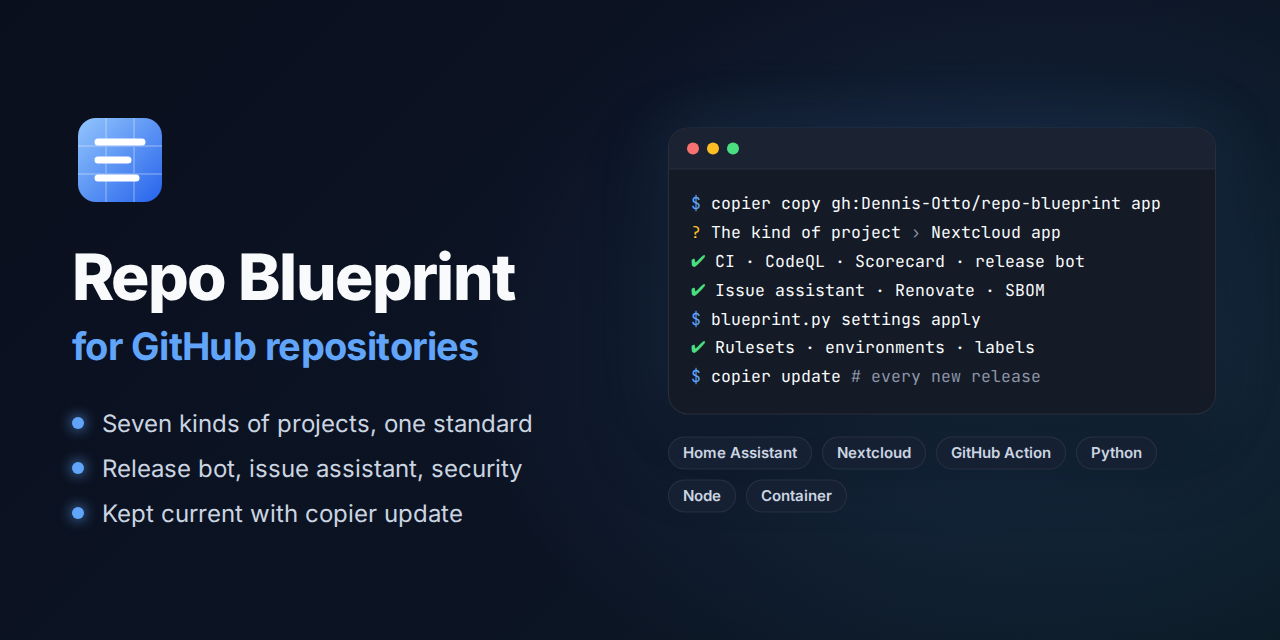
A Copier template for GitHub repositories that look after themselves: tests on every change, a release bot, security checks, an issue assistant and the settings of the repository as code, for seven kinds of projects, kept current by a bot with every new release of the blueprint.
Start a repository Read the guide
How a repository looks after itself
Every change, yours or a bot's, is a pull request that merges once every check passes, and the release bot makes a signed release of what reaches main; three bots keep the repository current on their own. In the pictures, blue is the blueprint and its bots, orange is you and what is yours, and green is what comes out.
---
config:
  flowchart:
    wrappingWidth: 400
---
flowchart TB
    accTitle: How a repository looks after itself
    accDescr: copier copy makes a repository from the blueprint. Every change, yours or a bot's, is a pull request that merges once every check passes, and the release bot makes a signed release of what reaches main. Renovate, the blueprint bot and the settings bot keep the repository current on their own.

    blueprint[("Repo Blueprint")]
    you(["You"])
    renovate(["Renovate<br>every 2 hours"])
    updater(["Blueprint bot<br>after every release<br>and every week"])
    settings(["Settings bot<br>every week"])

    subgraph repo ["Your repository"]
        pr["Pull request"] --> checks{"Every check<br>passes?"}
        checks -- "yes" --> main["main"]
        main -- "release bot" --> release["Signed release"]
    end

    blueprint -- "copier copy" --> repo
    blueprint -. "a new release" .-> updater
    you -- "a change" --> pr
    renovate -- "updates" --> pr
    updater -- "copier update" --> pr
    settings -- "the settings as code" --> repo

    classDef bot fill:#526cfe2e,stroke:#526cfe,stroke-width:2px
    classDef person fill:#f59e0b2e,stroke:#f59e0b,stroke-width:2px
    classDef done fill:#16a34a2e,stroke:#16a34a,stroke-width:2px
    class renovate,updater,settings bot
    class you person
    class release done
What a new repository gets
-
Checks
scripts/check.shon every change, the same locally and in the CI: tests with full coverage, on every core in Python projects, types, lint and packaging. The workflows, the license of every file, the Markdown, the sign-off of every commit and the title of every pull request are checked as well. A passing error of a download fails no run: every download tries again. -
PR coach
Every check that fails says what it found, why that matters and how to fix it, with the commands to run: in the check, and in one comment on the pull request that follows every push, also on a pull request from a fork. What a command can fix, the pull request fixes by itself: the fix bot commits it, suggests it on a fork, and keeps
mainfixed. -
Security
CodeQL, OpenSSF Scorecard, dependency review, a secret scan, SBOMs, the security audit of the workflows and every lock file against the OSV database. Every action is pinned to a commit hash.
-
Releases
A pull request with the next version, from the titles of the merged pull requests, and the changelog as its notes. Merging it publishes the release with its package, SBOM and signed provenance (SLSA Build Level 3), and verifies it as its users can.
-
Dependencies
Renovate, which the blueprint runs every two hours: actions, dependencies and images a week after their release, and at once an update that fixes a vulnerability or the new commit of a branch that an action follows. Routine updates merge themselves once every check passes; the weekly refresh of every lock file waits for the maintainer.
-
Issues
The issue assistant: a first analysis of every new issue by an AI that only reads, labels, duplicates, reminders, and closing with the release that ships the fix. Each new release of the assistant reaches every repository by itself, once a bot has verified that its release workflow made it. A bot that fails on
mainopens one issue of its own, which closes once the bot passes again. -
Website
The documentation in
docs/as a website with search and a light and a dark theme, in English and German. Every pull request builds it strictly, every change ofmainpublishes it on GitHub Pages. -
Diagrams
Every diagram as a picture that every reader sees, also in the GitHub app and the stores, drawn from its Mermaid source; the website draws the source live. The bots fix them by themselves: in a pull request, on
mainand after an update of the renderer. -
Settings as code
Merges, rulesets, security, Actions, environments, variables, labels and GitHub Pages in
.github/repository.toml. The settings bot applies them after every change and every week. -
Updates
After every release and every week, the blueprint bot verifies the release, which must be immutable and signed by the release workflow of the blueprint, then runs
copier updateand keeps one pull request current. Without conflicts, it merges itself once every check passes; the files of the project and your commits on its branch are never overwritten. -
Community
README, contributing guide, code of conduct, security policy and security design, governance, issue forms, records of the decisions, and discussions with an announcement of every release.
-
Coding agents
AGENTS.mdgives Claude Code, Codex, GitHub Copilot and Cursor the commands, the rules of pull requests and the changelog, and which files belong to the project and which to the blueprint. The notes of the project join it from.github/agents.project.md.
The guide lists every area, with the PR coach, the coverage of every pull request, mutation tests, flaky tests, cancelled checks, failed releases, the clean-up and the dev container as well.
Kinds of projects
-
Home Assistant integration
Ruff, mypy, tests, HACS and hassfest; a zip asset for HACS.
-
Nextcloud app
php-cs-fixer, Psalm with its taint analysis and PHPUnit with every line covered; a signed package for the App Store.
-
GitHub Action
A composite action with Ruff, mypy, tests and a run of the action; release tags and a moving major tag.
-
Python package
Ruff, mypy, tests and a build with Hatchling; PyPI with trusted publishing.
-
Node package
TypeScript, tsc and node:test with full coverage; npm with provenance.
-
Container image
Alpine by digest, Hadolint, a build and a self-test; GHCR, multi-arch, with SBOM and provenance.
A repository without a build checks its text files and shell scripts and makes releases only. Every kind starts with a small working example and its tests, to be replaced with the real code. The guide names the stack of each kind.
Start a repository
Copier 9.4 or later, Git, the GitHub CLI and a checkout of the blueprint (for blueprint.py):
copier copy gh:Dennis-Otto/repo-blueprint my-project
cd my-project
git init && git add --all && git commit --signoff --message "chore: start from the blueprint"
gh repo create Dennis-Otto/my-project --public --source . --push
python3 ../repo-blueprint/blueprint.py settings apply
python3 ../repo-blueprint/blueprint.py checklist
Copier asks for the name, a one-sentence description, the kind of project, the license (MIT, MIT-0, BSD-3-Clause, Apache-2.0, GPL-3.0-or-later or AGPL-3.0-or-later) and a few details of the kind. settings apply sets everything the API can set; checklist shows what is left for a person, such as the secrets, and which steps are done.
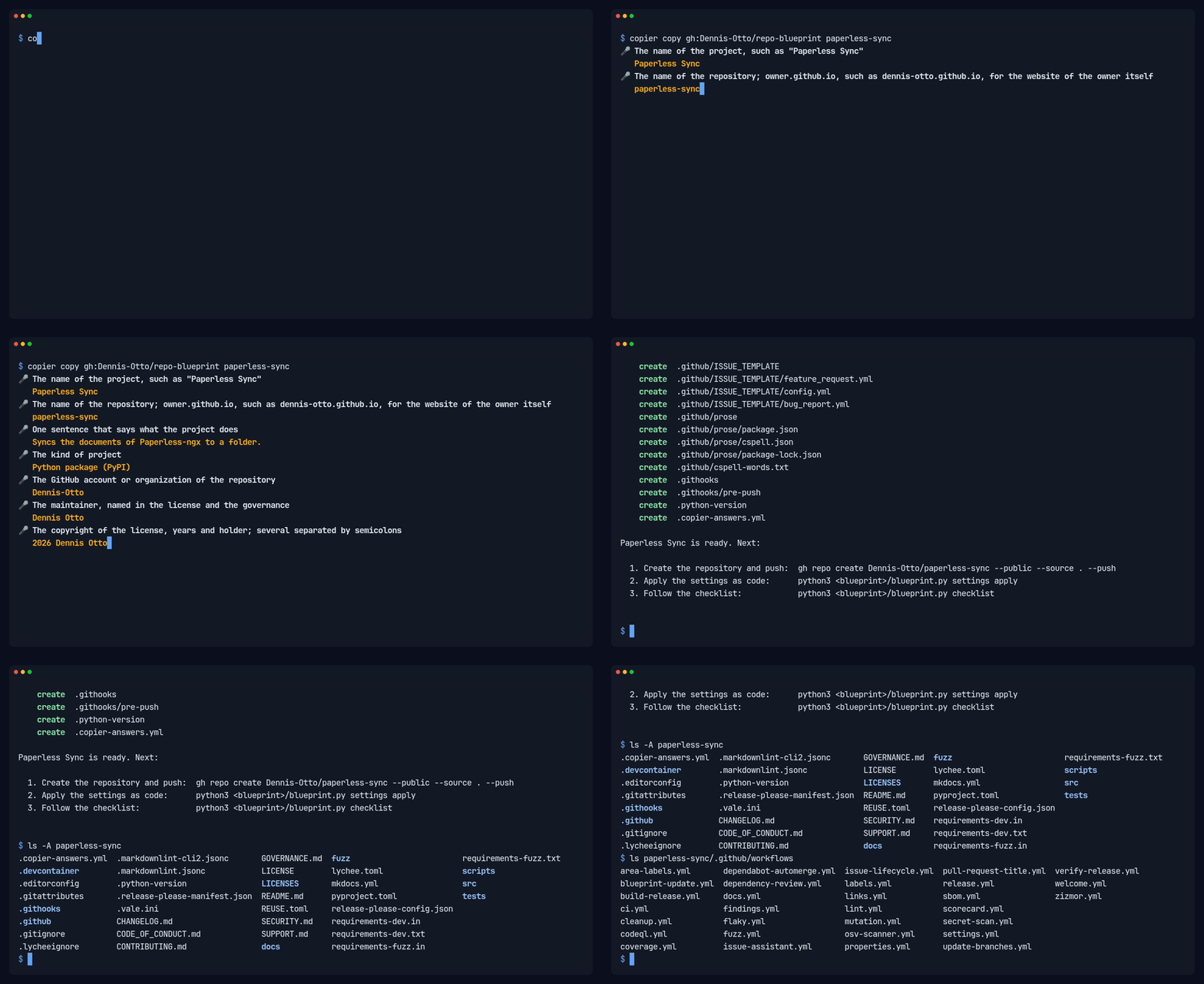
The guide describes what each repository needs once, such as the release app, and how an existing repository takes the blueprint.
Learn more
-
Guide
Everything a new repository gets, the settings as code, the updates and what belongs to a project.
-
Roadmap
Where the blueprint is heading in the next twelve months, and what it will not do.
-
Security design
What the blueprint protects, what it trusts, the threats with their countermeasures, and the risks that remain.
-
Decisions
The decisions that shape the blueprint, each with its reasons.
-
Releases and changelog
Every release with its notes on GitHub, and the changes of each version.
-
Dashboard
Every public repository of the owner at a glance: the release of the blueprint it is on, its releases, pull requests, runs, Scorecard and health.