Paperless Sync
A native Nextcloud app that mirrors finalized Paperless-ngx documents into a structured Nextcloud archive and can submit files from a Nextcloud inbox to Paperless. Paperless remains the source of truth.
Get it from the App Store Quick start
What it does
-
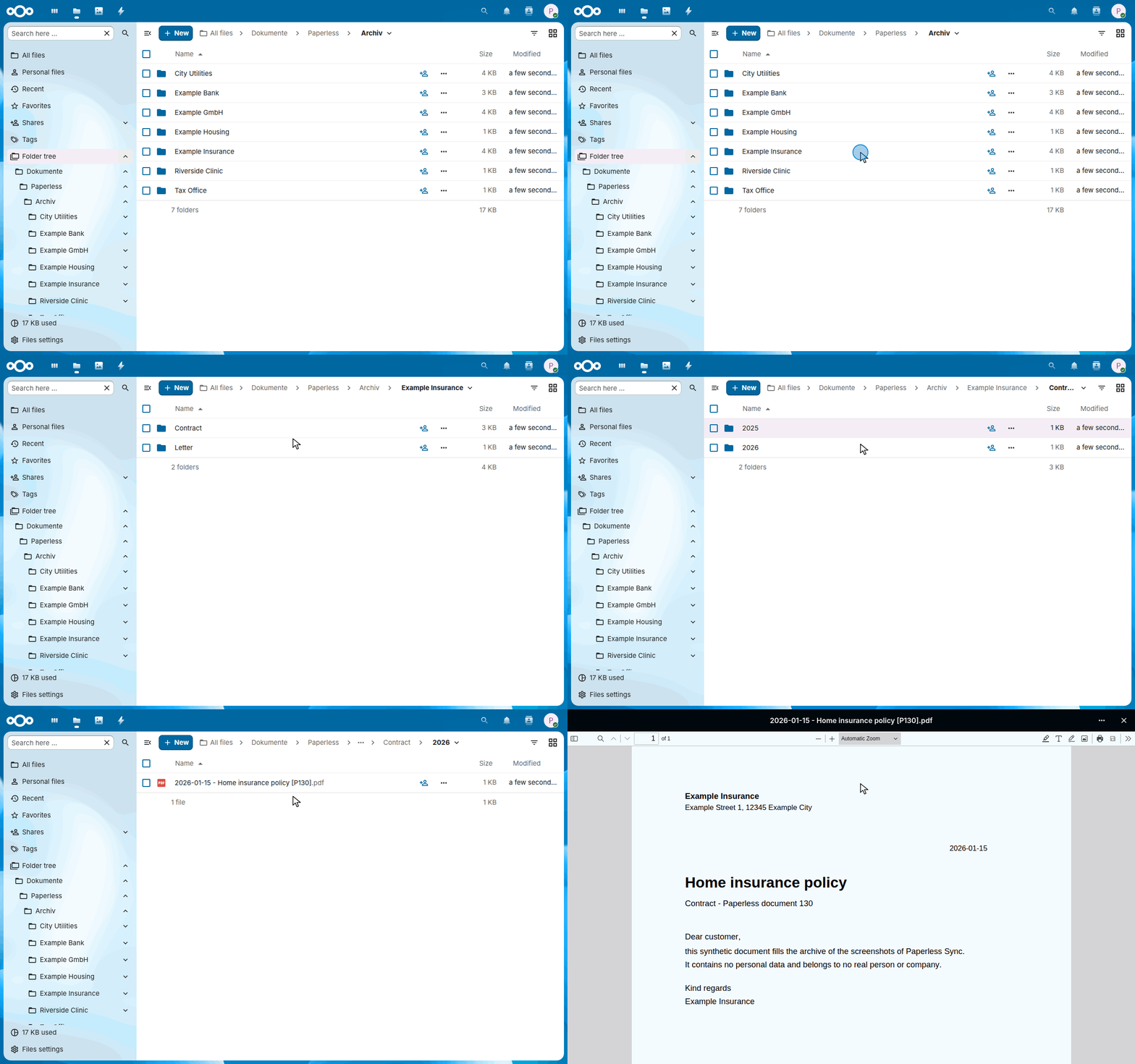
A structured archive in Nextcloud
Documents appear in folders of the configured Nextcloud user, by correspondent first by default, built from a configurable path template, as archive PDF or original file.
-
Follows changes in Paperless
When the metadata of a document changes in Paperless, its file is renamed or moved in Nextcloud. Documents in the Paperless inbox or with an excluded tag stay out.
-
From a Nextcloud inbox to Paperless
Files in a Nextcloud inbox folder, including its subfolders, are submitted to Paperless, and the app follows their Paperless tasks.
-
Careful with deletions
The Paperless trash is mirrored into a folder of its own. Permanent deletion is off by default and, when enabled, waits for the configured number of complete scans.
-
Dry run first
A dry run lists what a run would change without changing anything. Status and error summaries show what the last run did.
-
No passwords in Nextcloud
The app works through Nextcloud's filesystem API, without WebDAV credentials or an app password. The Paperless token stays in Nextcloud's credentials manager and never reaches the browser.
How it works
flowchart LR
    documents["Paperless-ngx<br>finished documents"] -->|read through the REST API| export(["Paperless Sync"])
    trash["Paperless-ngx<br>trash"] -->|read| export
    export -->|write, rename, move| archive["📁 Archiv<br>correspondent / type / year"]
    export -->|mirror the trash| deleted["📁 Archiv/_Gelöscht"]
    inbox["📁 Eingang"] -->|pick up| import(["Paperless Sync"])
    import -->|upload through the REST API| consume["Paperless-ngx<br>new documents"]
    import -->|failed imports| errors["📁 Fehler"]
    classDef paperless fill:#17541f,stroke:#17541f,color:#fff
    classDef nextcloud fill:#0082c9,stroke:#0082c9,color:#fff
    class documents,trash,consume paperless
    class archive,deleted,inbox,errors nextcloud
At the configured interval, Nextcloud's cron starts a run of the app inside Nextcloud. It reads the finished documents of Paperless and writes each one into the archive of the Nextcloud user who owns it, at the path that the path template builds from its metadata. When the metadata changes in Paperless, the file moves; when a document goes to the Paperless trash, its copy goes to _Gelöscht. Files that someone puts into Eingang go the other way, to Paperless.
Quick start
- Install Paperless Sync from the Nextcloud App Store under Apps, or with
occ app:install paperless_sync. Nextcloud's system cron must run. - In Paperless-ngx, create a dedicated account with view and download access to the documents to mirror, and an API token for it.
- In Nextcloud, open Administration settings → Paperless Sync. Enter the Paperless URL, the token and the Nextcloud user who owns the archive, leave synchronization disabled, and save; saving tests the connection to Paperless and the folder in Nextcloud.
- Start a dry run and read its summary: it lists what a run would change, without changing anything.
- Enable synchronization and save. Nextcloud's cron runs it at the configured interval, and the documents appear in
Dokumente/Paperless/Archivof that user.
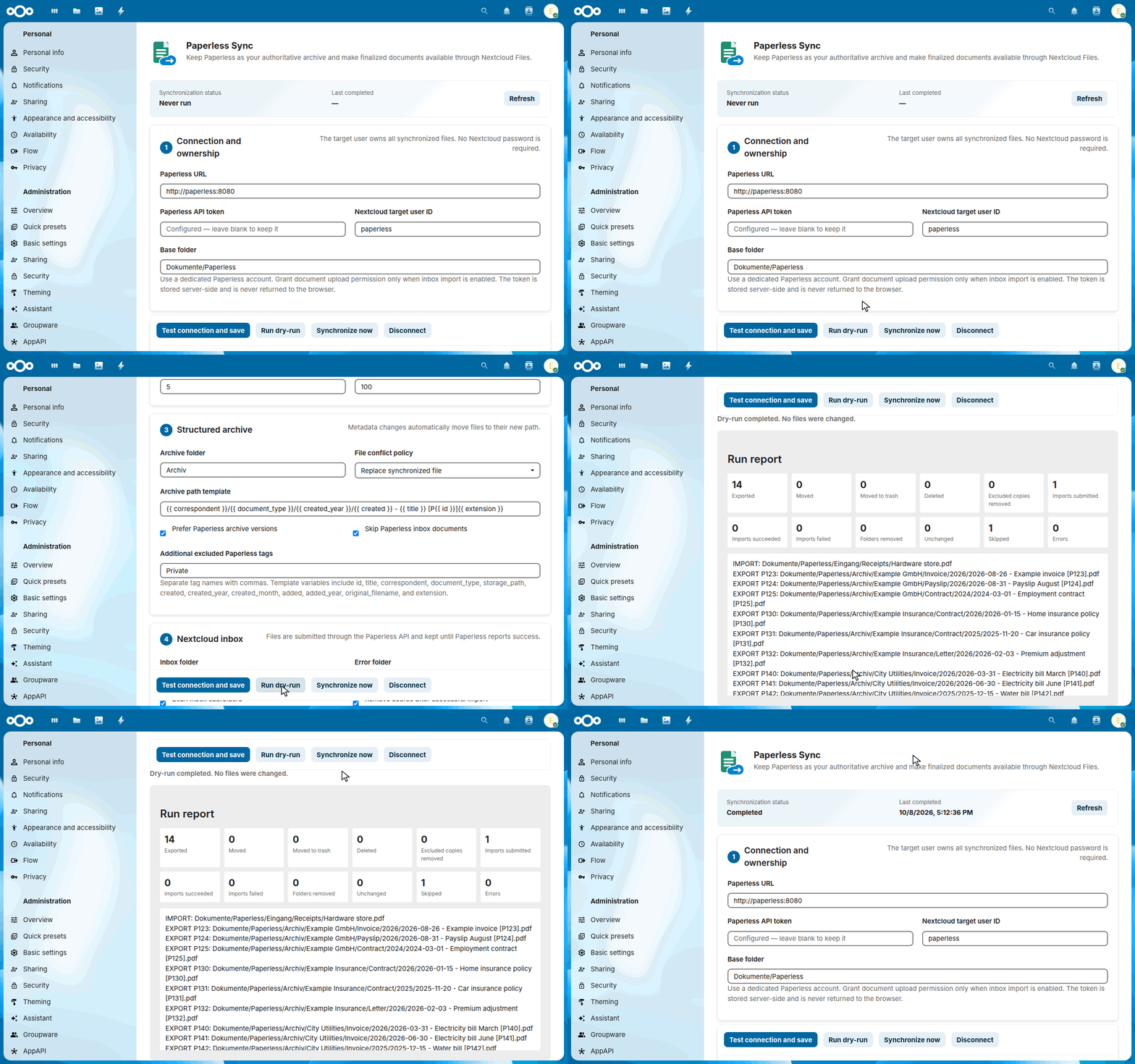
The guide describes the configuration in detail: the Paperless account, the folders, the path template and the deletion safety.
Learn more
-
Guide
Installation, all features, usage and every part of the configuration.
-
Architecture
How the app runs inside Nextcloud, reads Paperless through its REST API and writes files through Nextcloud's file API.
-
Security design
What the app protects, what it trusts, the threats with their countermeasures, and the risks that remain.
-
Roadmap
What Paperless Sync intends to do in the next twelve months, and what it will not do.
-
Decisions
The decisions that shape the project, each with its reasons.
-
Releases and changelog
How a release is made, signed and published in the Nextcloud App Store, and the changes of each version.